Your whole wedding, organized in one calm place.
Budget, guests, vendors, seating and a month-by-month checklist — 16 beautifully connected tabs that do the math for you — in Google Sheets, Excel or Numbers.
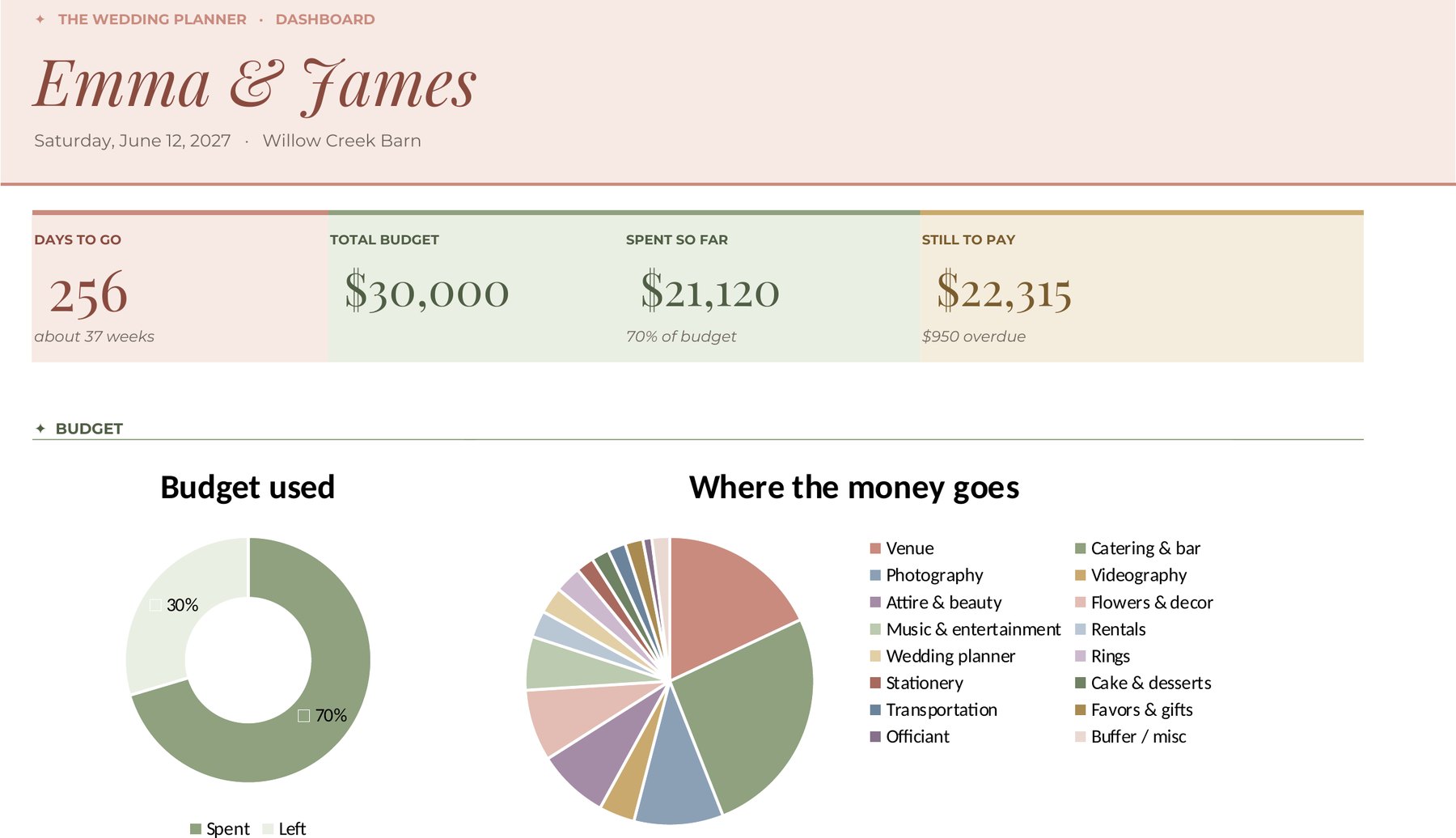
Sixteen tabs. One calm plan.
Every tab talks to the others. Log a deposit and your budget updates. Mark a guest as attending and your seating chart knows.
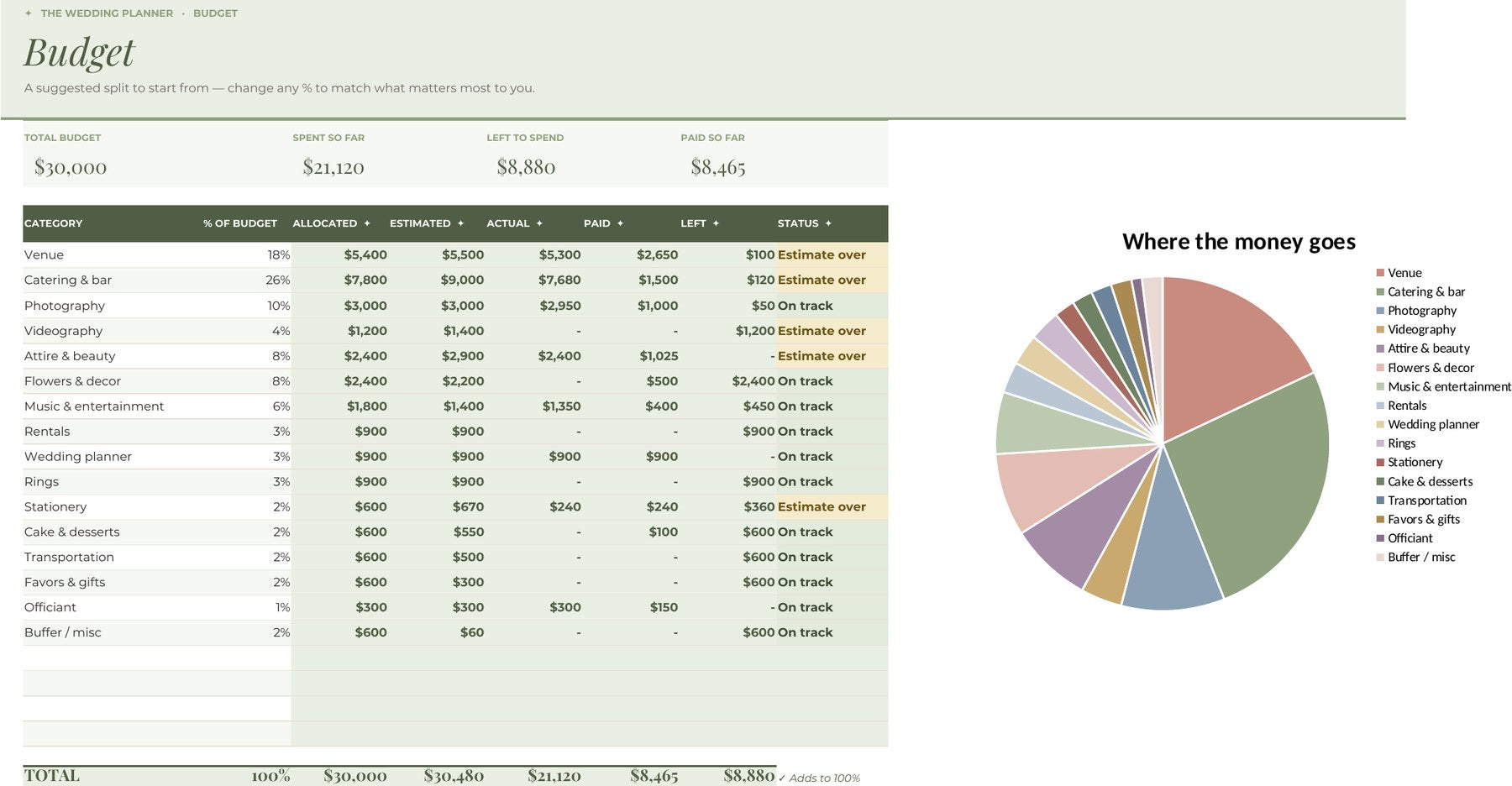
Budget
A suggested split to start from, with live “on track” checks for every category.
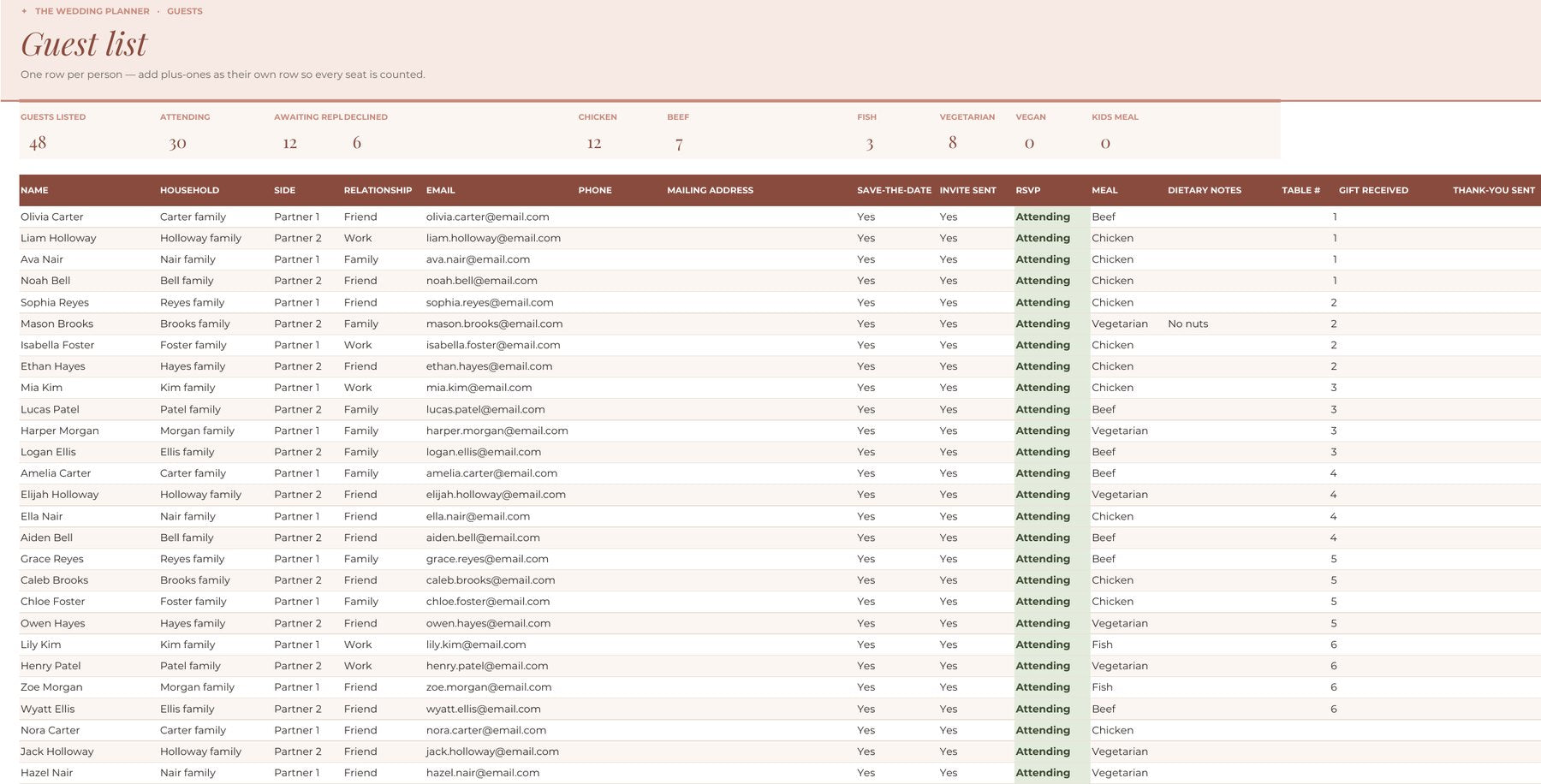
Guests & RSVPs
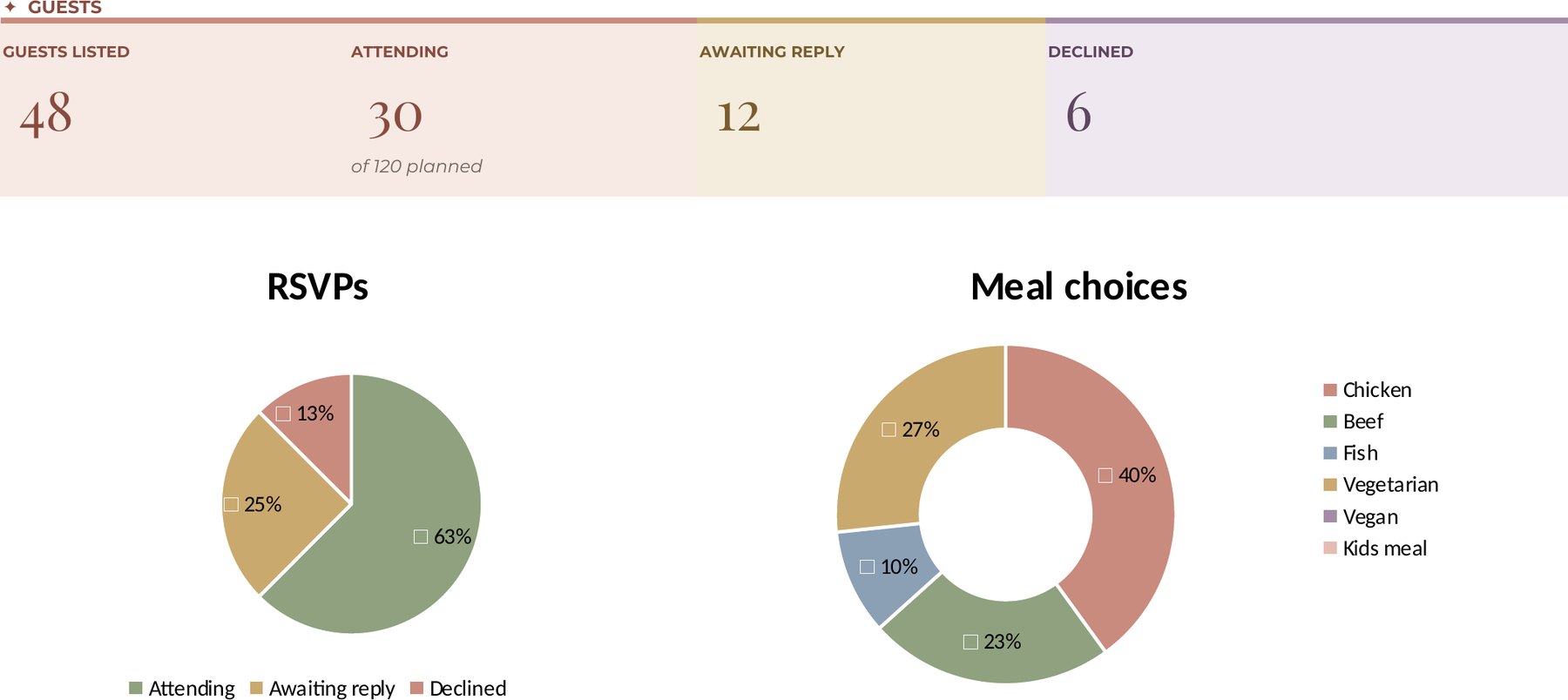
Addresses, meals, plus-ones and RSVPs — counted automatically as replies come in.
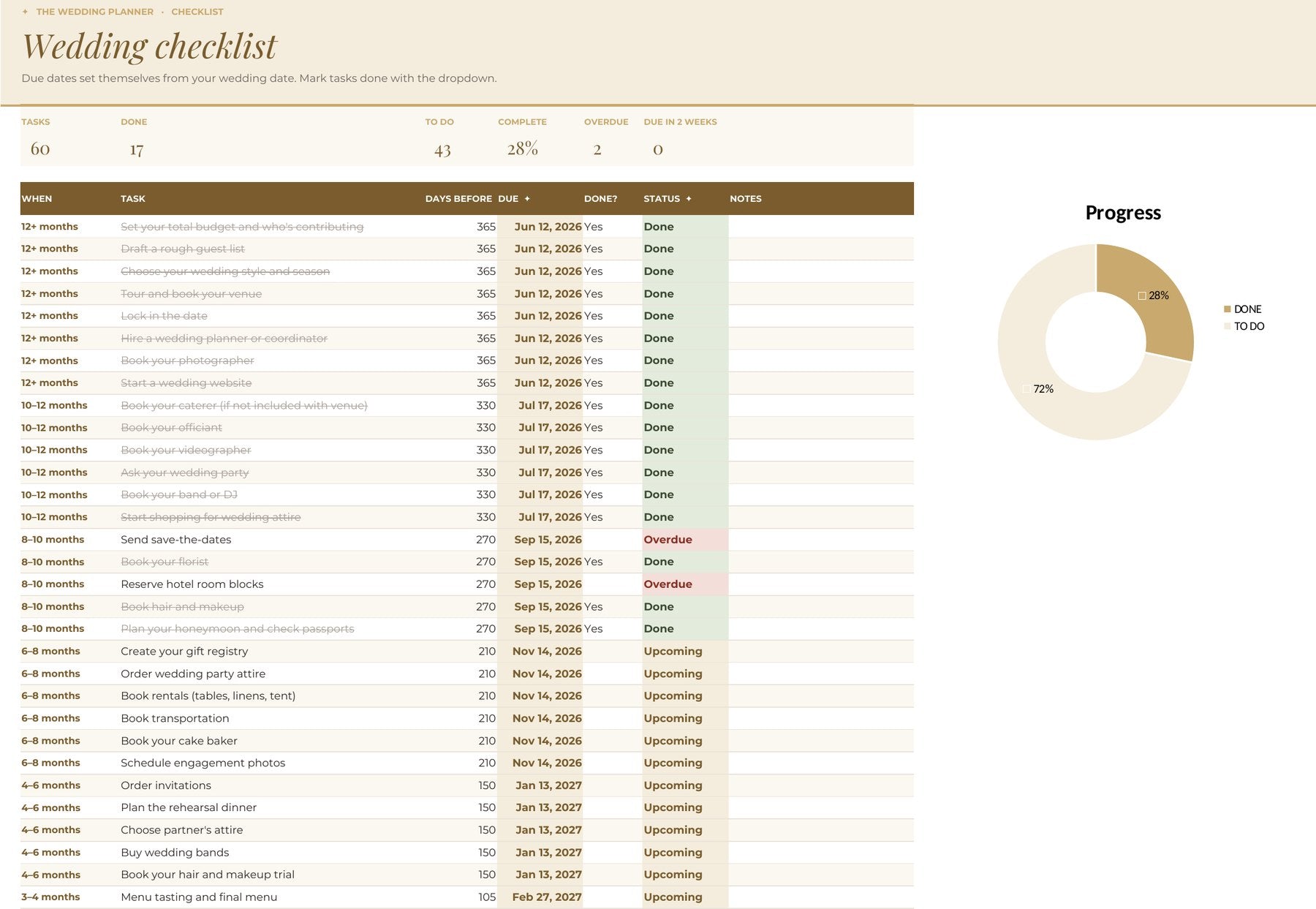
Checklist
60+ tasks dated from your wedding day. Overdue items flag themselves; done ones cross off.
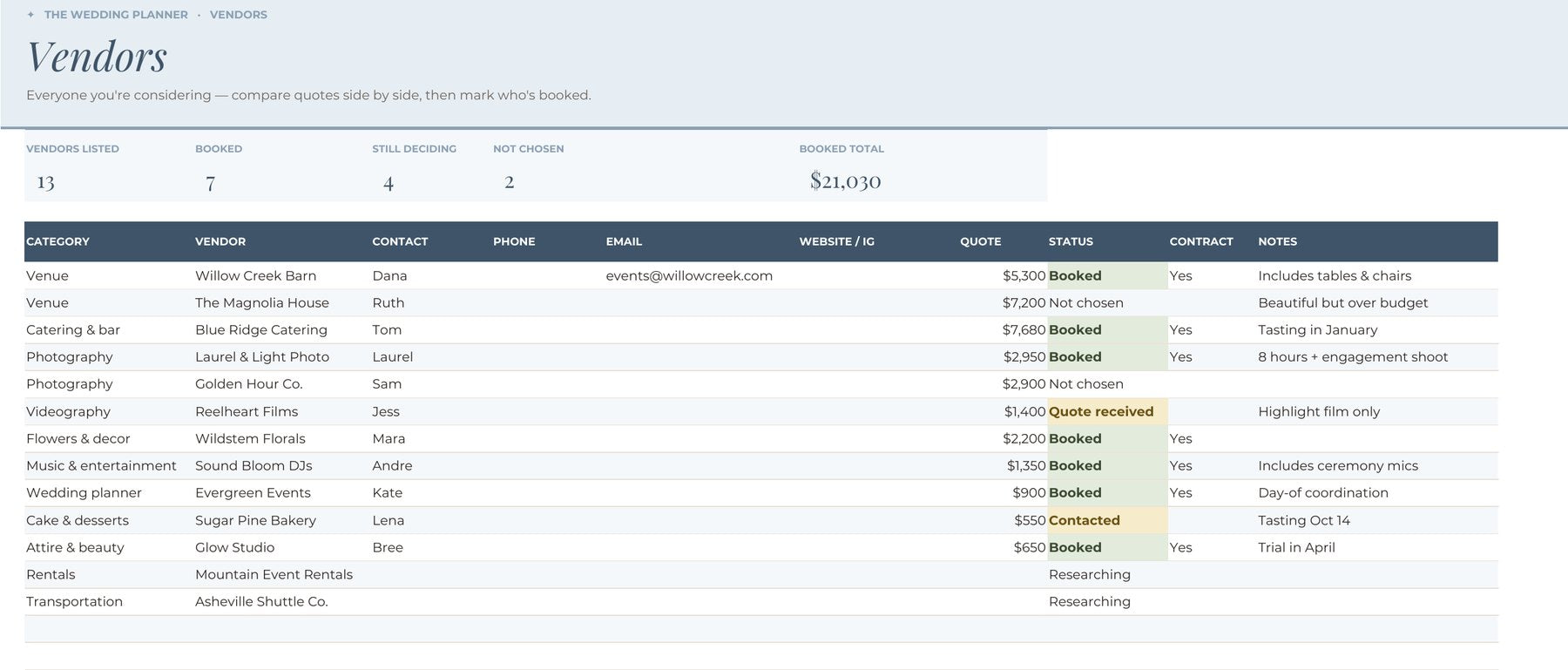
Vendors
Compare quotes side by side, track contracts, and see who’s booked at a glance.
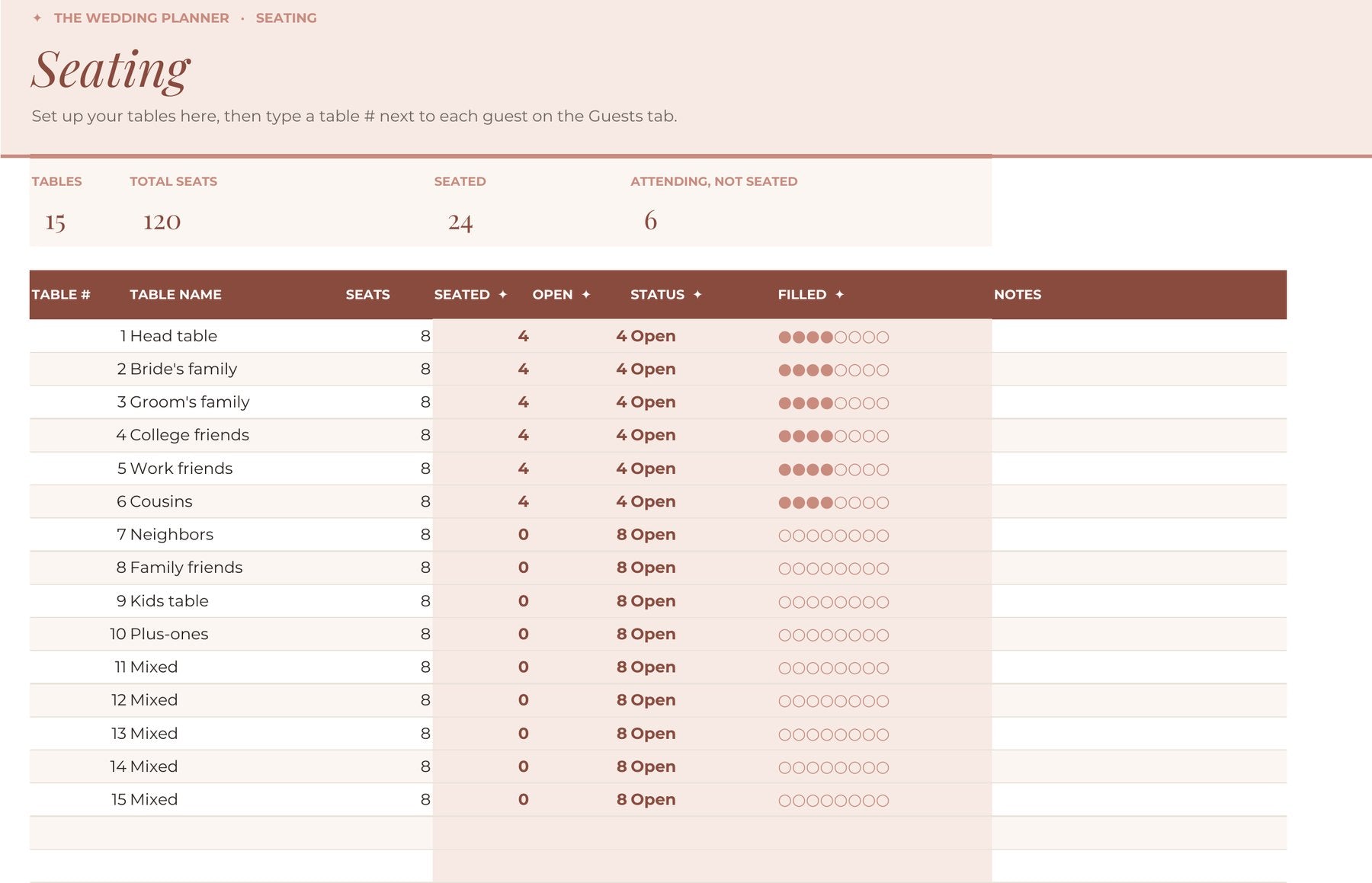
Seating
Set your tables, add a table number to each guest, and watch the seats fill in.
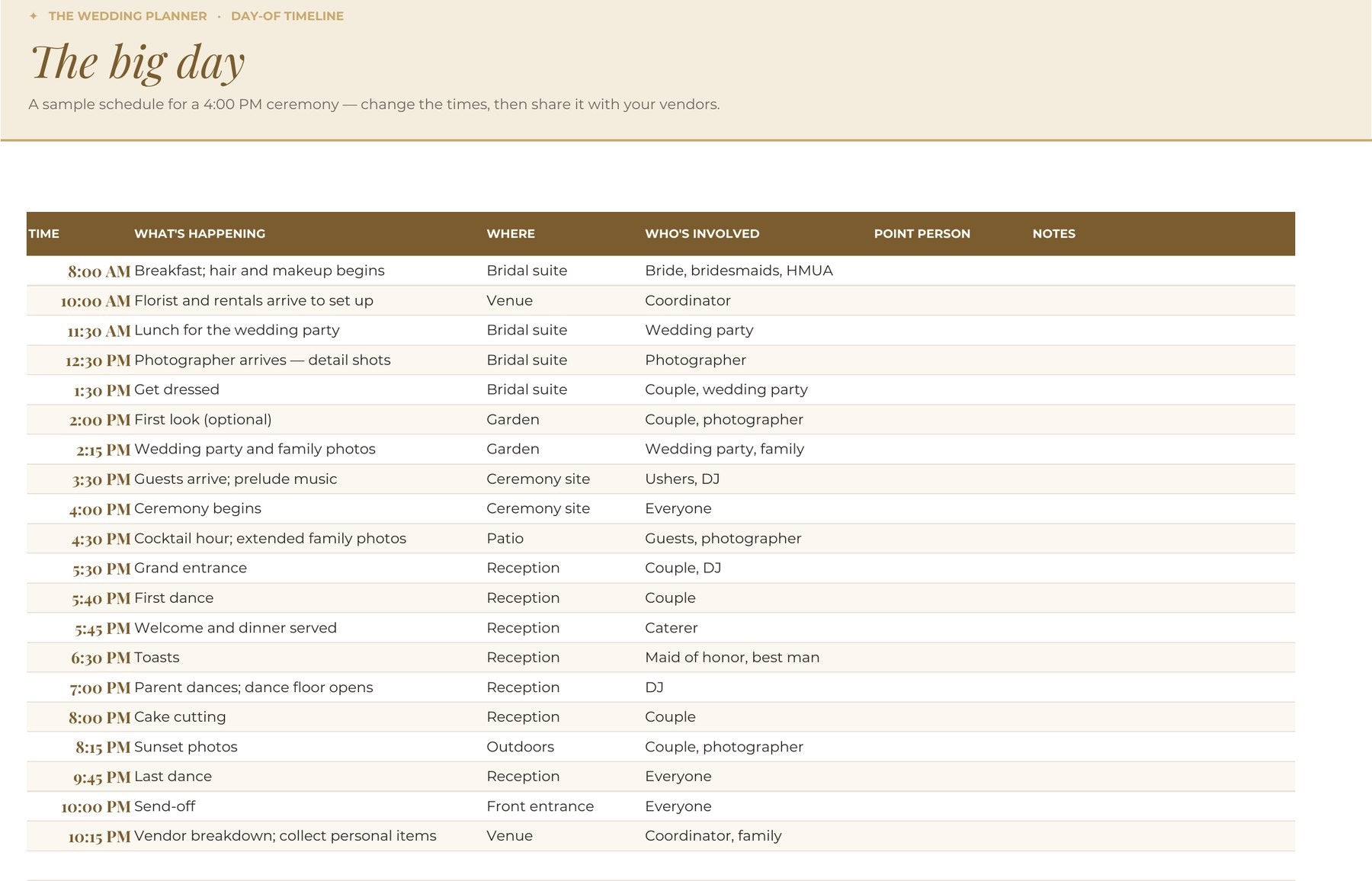
Day-of timeline
A ready-made schedule for the big day. Change the times, then share it with your vendors.
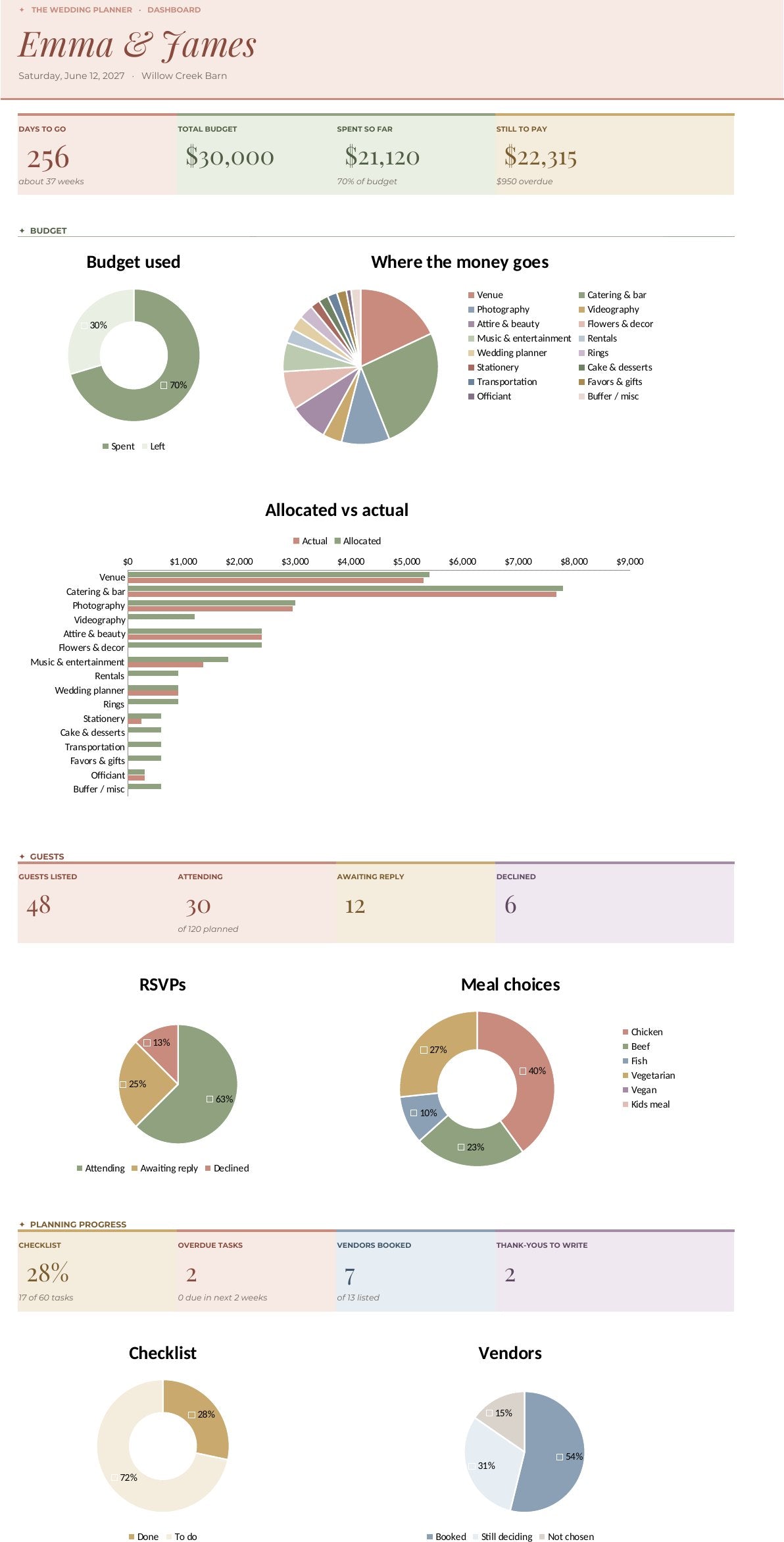
See everything at a glance.
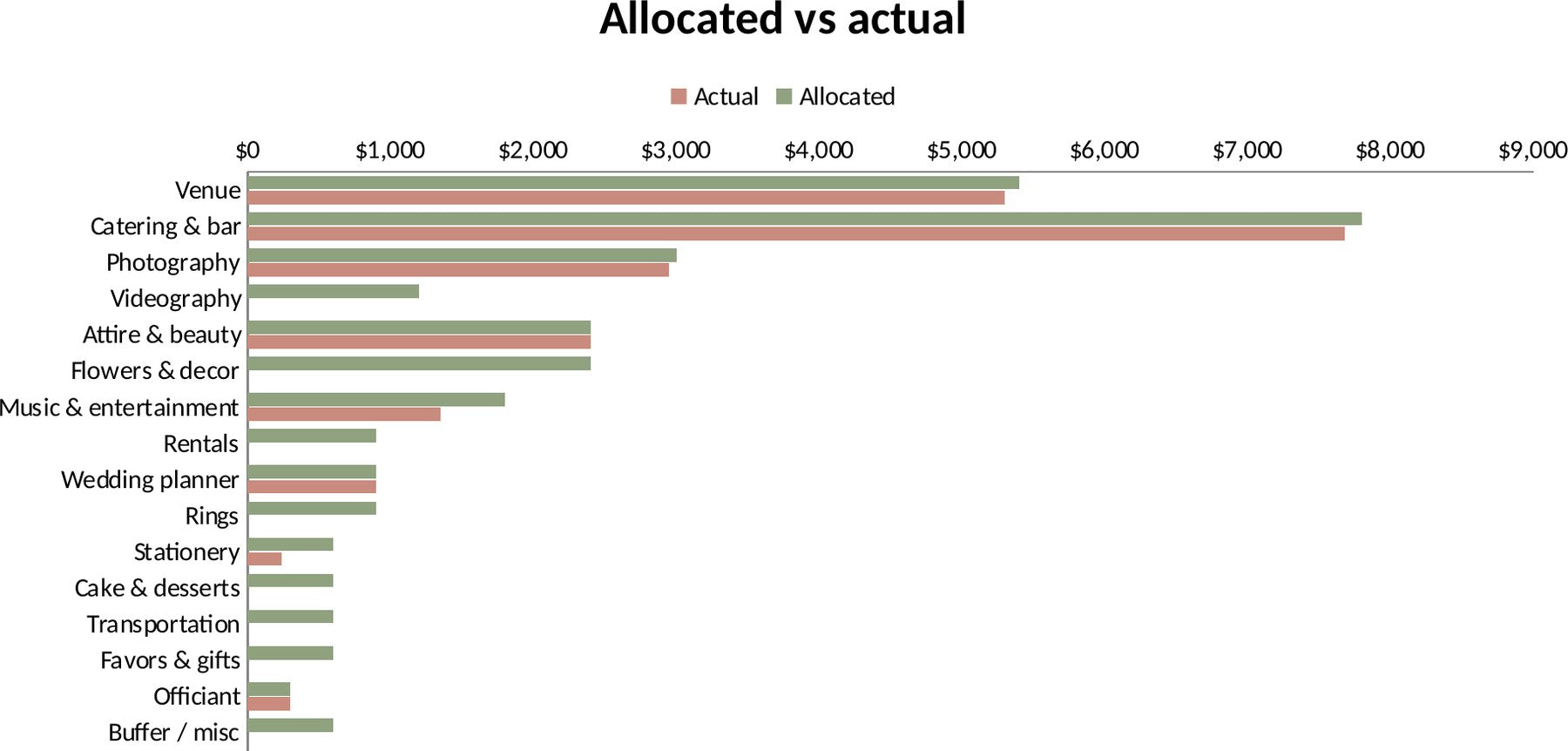
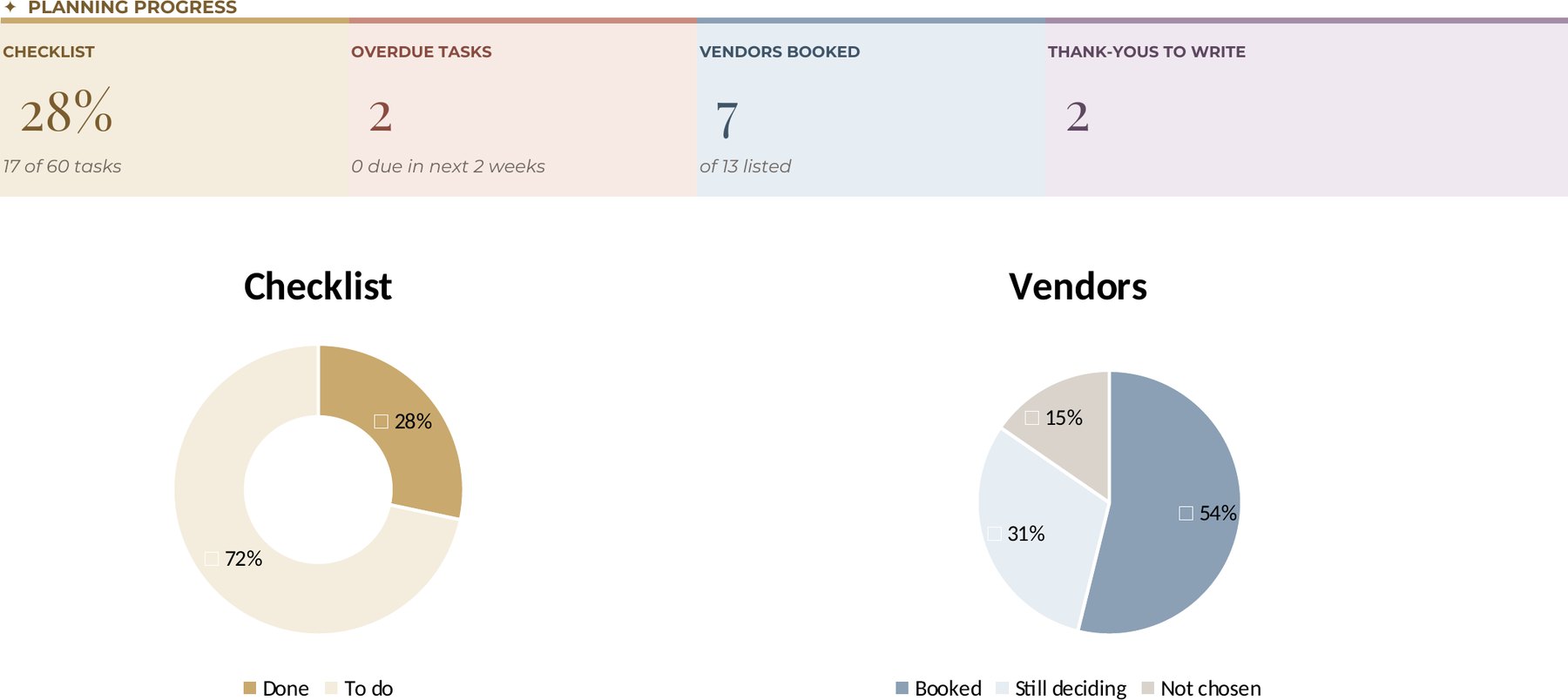
Ten live charts update the moment you type — no formulas to touch, nothing to set up.
- Countdown and budget snapshot
- Where the money goes, by category
- Allocated vs actual for every category
- RSVP and meal-choice breakdowns
- Checklist and vendor progress rings
Every tab, one tap away.
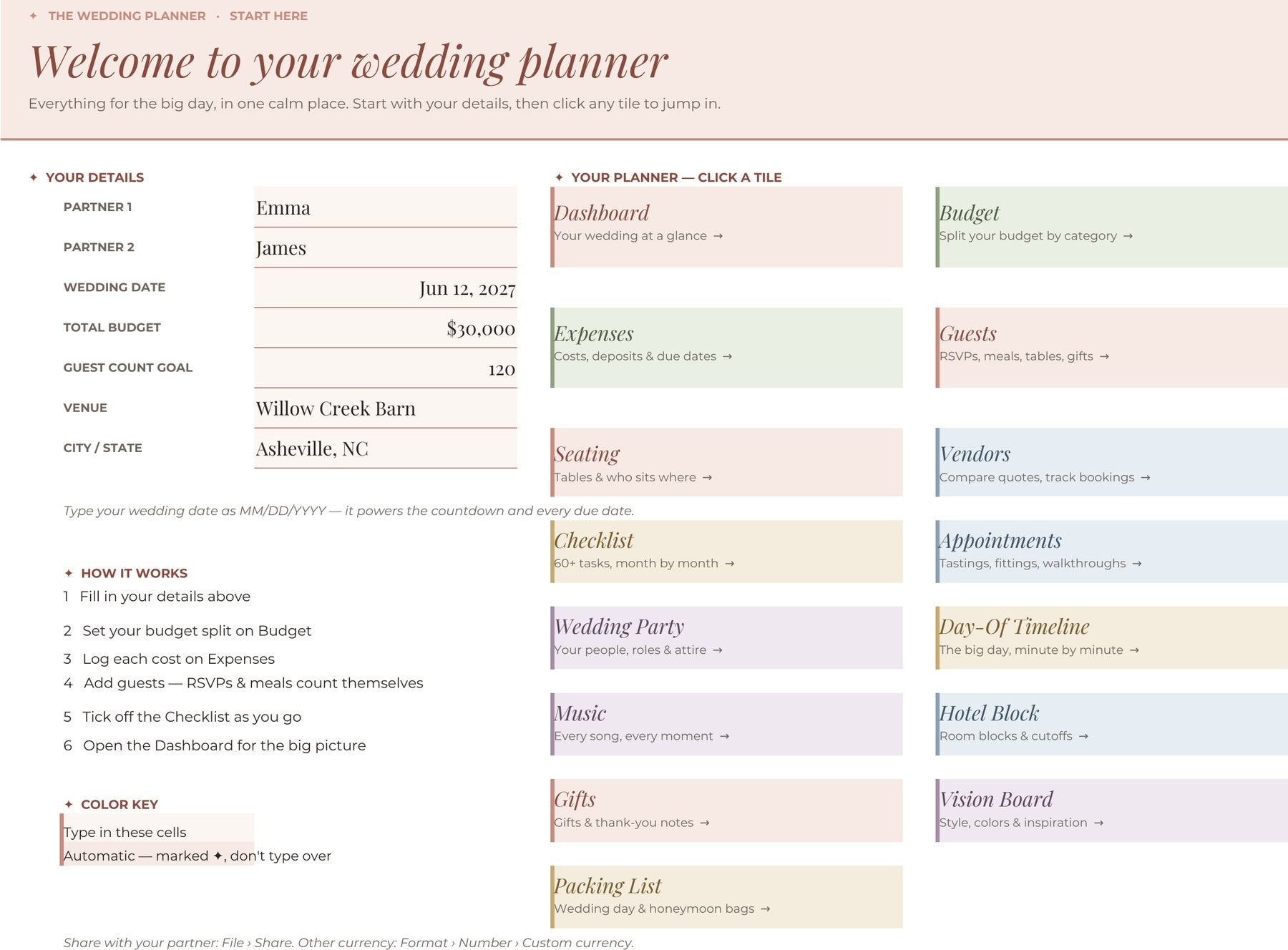
Open the planner to a menu of color-coded tiles. Every tab has Home, Dashboard, Previous and Next links — so planning flows like a digital planner, not a spreadsheet.
- Color-coded sections — money in sage, people in rose, time in sand
- Columns marked ✦ calculate themselves
- Share it in Google Sheets and plan together in real time
Nothing slips through.
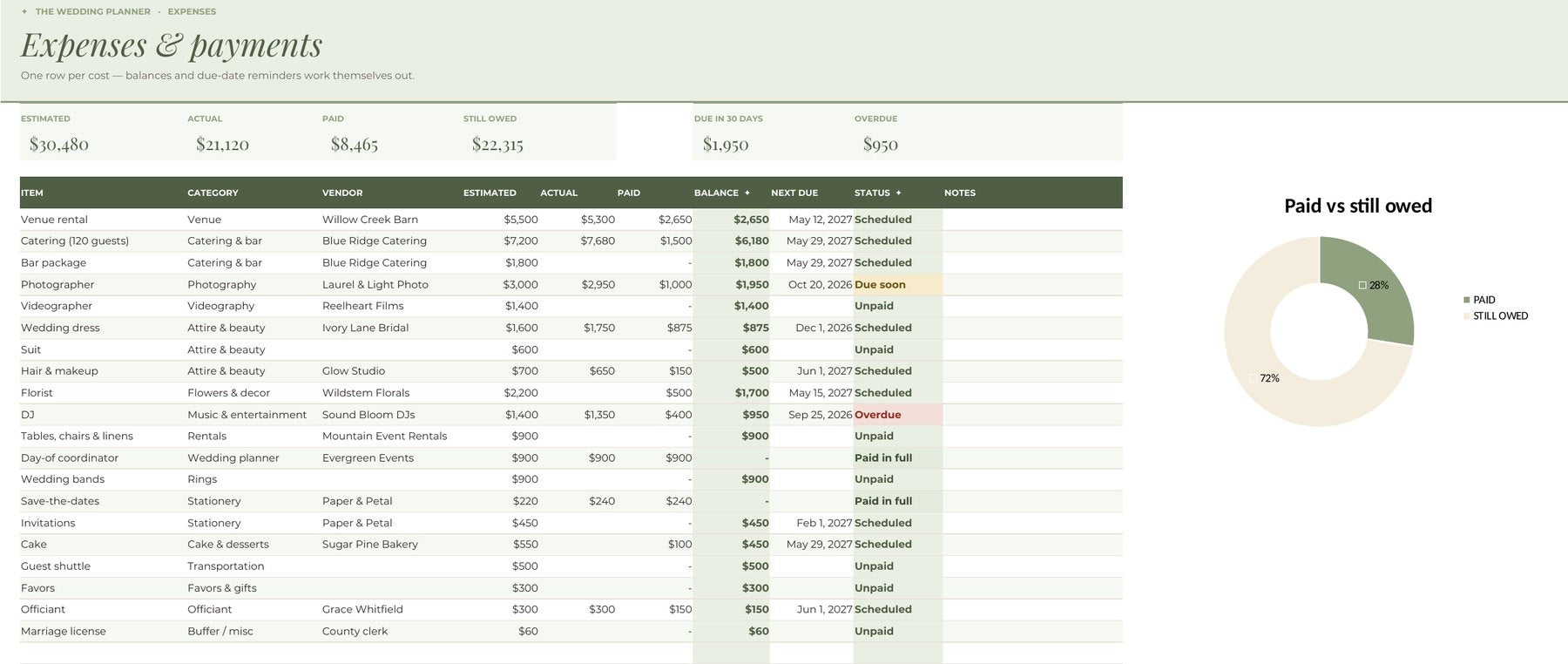
Enter your wedding date once. Every task gets a due date and every deposit gets a reminder.
- Tasks flip to “Due soon” two weeks ahead
- Overdue payments are flagged automatically
- See exactly what’s due in the next 30 days
Planning in three steps
One payment. Yours forever.
The Complete Suite
Everything from “yes” to the big day
- Everything in The Planner
- Day-of wedding binder — 18-page printable & fillable PDF
- Stationery & signage kit — 38 editable designs for Canva, Google Slides or PowerPoint
- Bachelorette & bridal party planner — with automatic cost splitting
- Honeymoon planner — budget, bookings, itinerary & to-dos
The Planner
The complete wedding planning spreadsheet
- All 16 connected planning tabs
- Dashboard with 10 live charts
- Auto-calculating budget, RSVPs & due dates
- Click-through menu and tab navigation
- Works on phone, tablet and desktop
- Step-by-step start guide included
Secure checkout · Instant email delivery
Is this a physical or digital product?
Digital. You download a spreadsheet and a start-here guide — nothing is shipped.
When do I get access?
Right after checkout. Your download link lands in your inbox within minutes.
Do I need special software?
No — just a free Google account for Google Sheets, or Excel or Numbers if you already have them.
Does it work on my phone?
Yes — use the free Google Sheets app on iPhone or Android. The charts, menus and dropdowns all come with you.
I'm not a spreadsheet person. Is it beginner-friendly?
Yes. You only type into the light cells — every formula and chart is already built.
Can my partner edit it too?
Yes — once it’s in Google Sheets, click Share and you’ll both see changes live.
What's your refund policy?
Because the planner is an instant digital download, all sales are final — but if anything isn't working, email us and we'll make it right.
I'm a professional planner. Can I use it for clients?
Each purchase covers one wedding. If you'd like to use it with clients, email us about a professional license.
You said yes. Now let's plan it.
Download the planner tonight and wake up with a plan.
Get instant access